Description
The plugin will help you to:
have Better orders preview with necessary information.
You can have a list of ordered products.
In Mobile, the list of orders gives you information such as total prices, address, operations, etc.
woocommerce order preview
Why the preview should be professional?
Order preview gives you detailed information about the orders.
It helps a lot if we get more information from the preview, even for the packaging we use in this part, it makes less mistakes.
Display image of order items (product).
Display and warehouse management of order items (warehouse status such as “shortage in stock”, “in stock” with number and…)
View and change the current price of order items.
Display the price of items (normally the preview only shows the total).
Display the name of the seller of the ordered items if using the shop.
Display product ID and category name of order items.
You can enable / disable and prioritize preview columns.
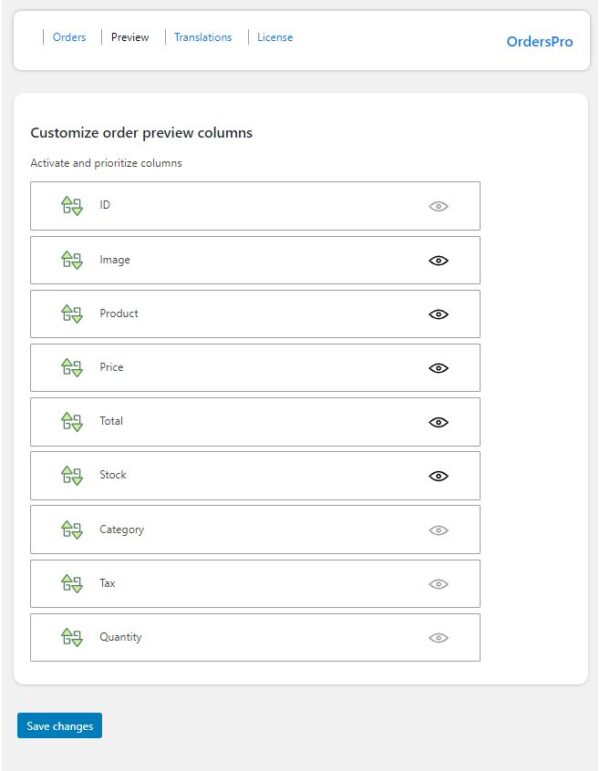
What kind of information do you need to preview the orders? Write to us in the reviews
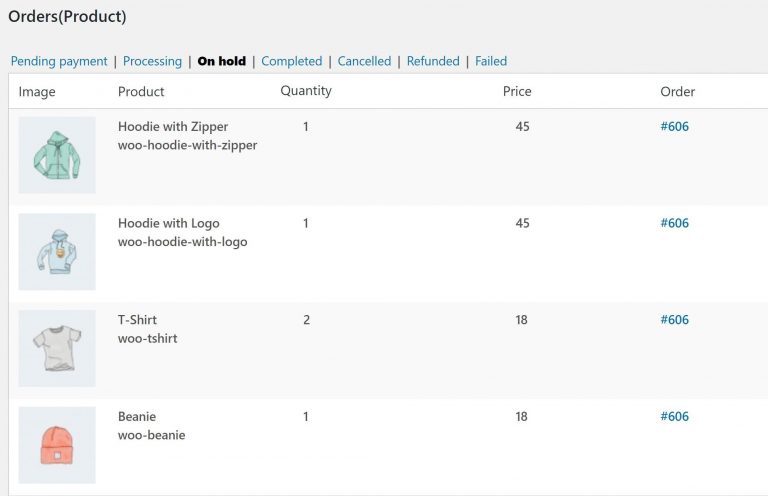
List of ordered products
All online stores need this. Why?
On this page, you will enter a list of ordered products with the desired status (processing, completed, on-hold and etc.).
In this section, the product image shows the number and price separately for the order and the customer ID.
This section will help you with other things you need:
You can easily prepare the products before you start packing.
Mobile order page settings
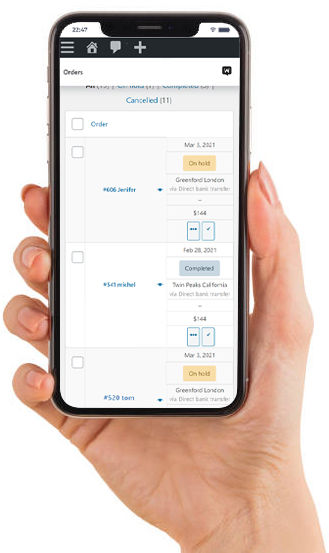
In mobile mode, the order list in usual mode shows the order ID along with the name, date and status of your order. By installing this plugin you can, in addition to other items, also provide information such as:
The price of the total order address, along with the payment method
Show actions, such as (completion, etc.)
If you use the Dokan you can see the seller name






Reviews
There are no reviews yet.