View Categories

General Settings

< 1 min read

After installing and activating the plugin you can find the plugin settings on the WordPress sidebar.
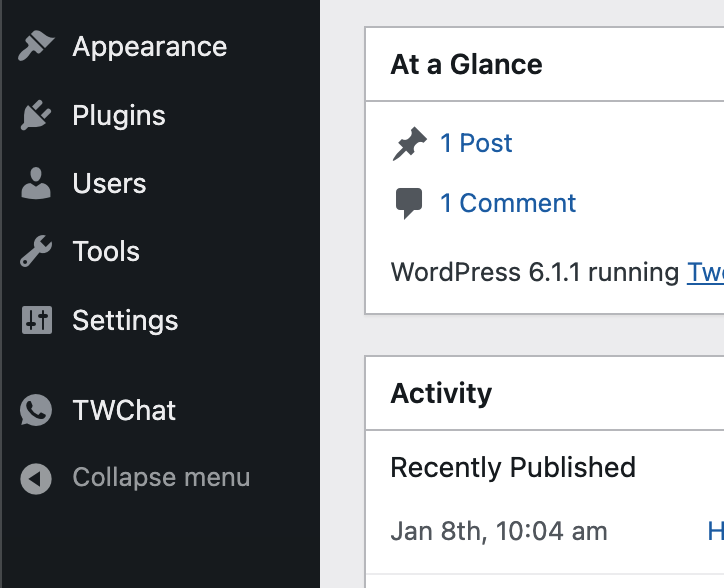
You can enable and disable the options of the plugins.
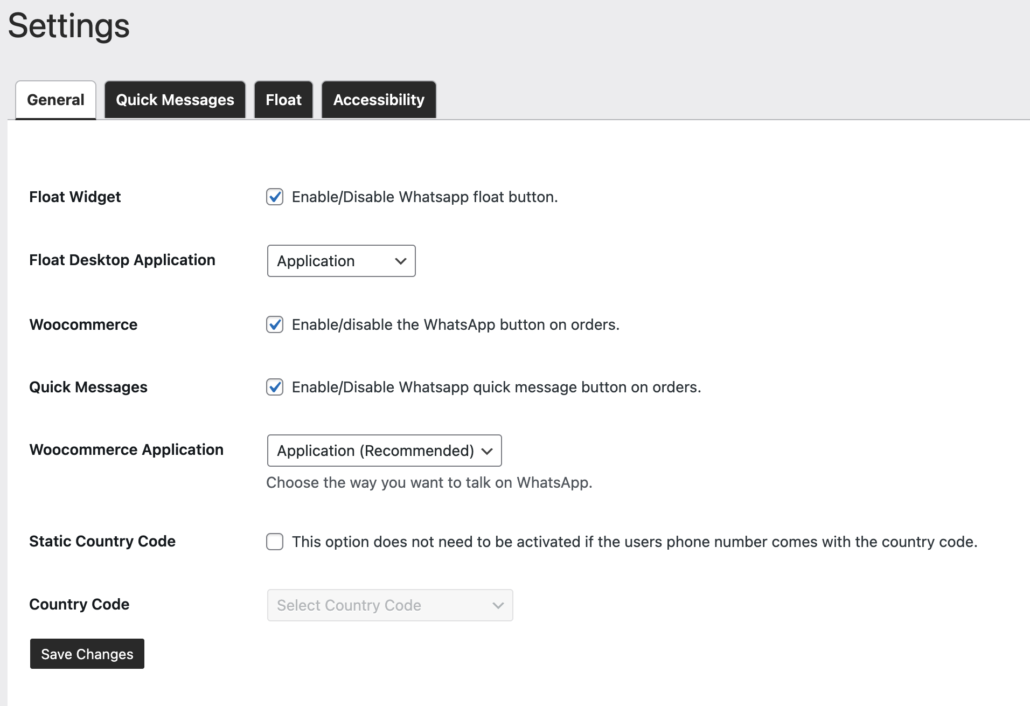
1- The Float widget allows your customers to send messages to you, after activation you can customize the widget in the Float tab.

2- Mobile customers send messages by default from the mobile WhatsApp application. but for desktop users, you can decide whether your customers send messages from the web application or WhatsApp application, or Auto we recommend choosing Auto.

3- The WooCommerce option Allows you to send messages to your customers, after activation you will able to send messages to your customers from the WooCommerce orders.

4- Ready messages activation. you will able to send prepared messages to your customer from the WooCommerce orders.

5- choose an application to start chatting with your customer. WhatsApp application is our recommendation.

6- If country code is not included on your customers phone number, you can use static country code.

7- This fieald will be enable when “static country code” is enable. if you are useing the static country code, so choose the country code.

Powered by BetterDocs

Leave a Reply

Your email address will not be published. Required fields are marked *

Chat with us

We are here to answer any question you may have about our services. Reach out to us and we'll respond as soon as we can.

  • ⦿ How can I purchase plugins for my website?
    To purchase plugins for your website, follow these steps: a. Navigate to the "WordPress Plugins" section. b. Browse through the available plugins and select the ones that best suit your requirements. c. Click on the "Add to Cart" button next to each plugin you wish to purchase. d. Once you have added all the desired plugins to your cart, proceed to the checkout page. e. Provide the necessary billing and payment information to complete the purchase securely. f. After a successful payment, you will receive a confirmation email with download instructions and license details for the purchased plugins.
  • ⦿ How do I get support for the software I purchased from your company?
    We're here to provide ongoing support for any software you've purchased from us: a. Sign in to your account. b. Once logged in, navigate to the "Support" section to submit a new support ticket. c. In the support ticket, detail the problem you are facing or the information you need assistance with. d. Our support team will promptly review your ticket and respond with a solution or clarification within the agreed-upon response time.
  • ⦿ Can I request a custom-built plugin or software for my unique requirements?
    Absolutely! We take pride in crafting custom solutions to perfectly match your specific needs. To request a custom-built plugin or software or website, Write us.
  • reza hajizadeh
    Customer Support
    reza hajizadeh
    Available from to
    WhatsApp
instagramyoutube

Powered by TWChat